
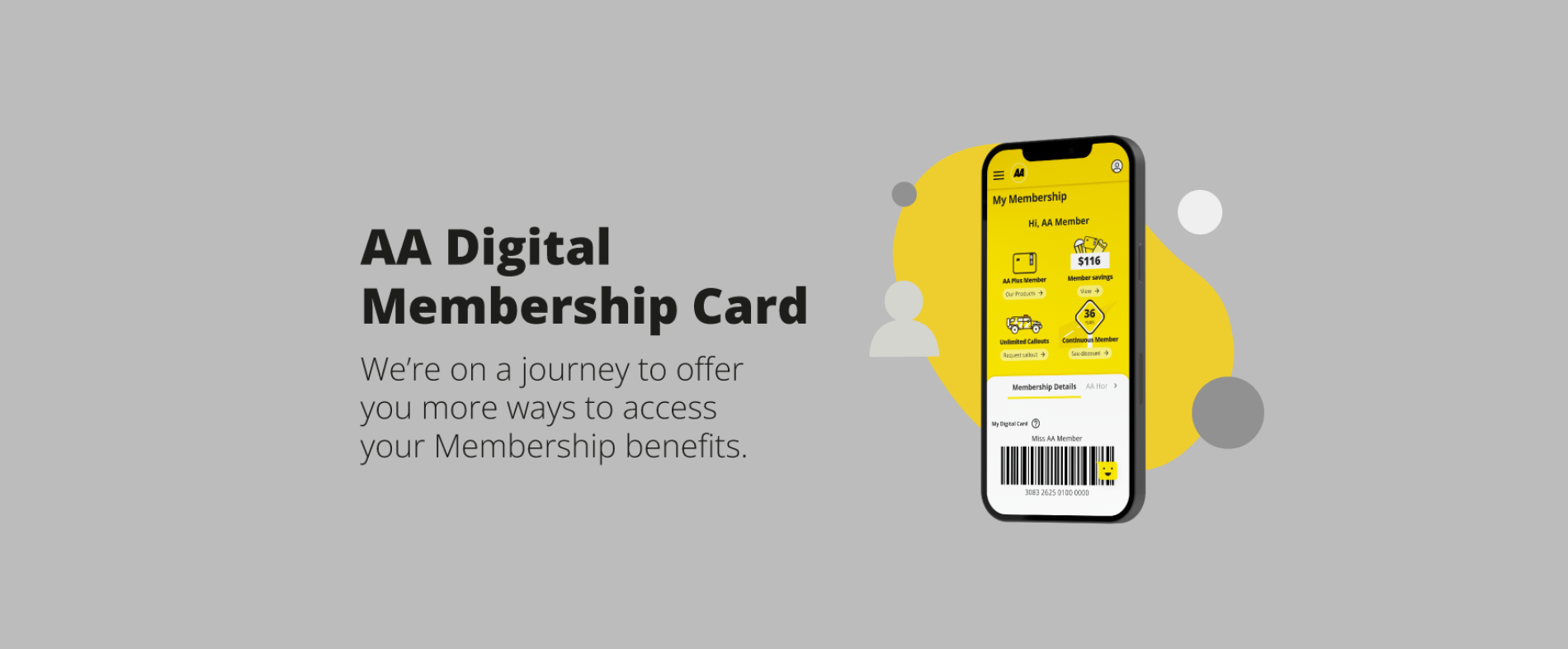
AA Digital Membership Card
A digital Membership card is now available on your phone or tablet, giving you more ways to access your Member Benefits when you’re on the go.
To access your digital card, you can either log in to our app on a mobile or foldable phone device or MyAA on a tablet/any web browser.
You can use your digital Membership card in any place you can redeem your AA Member Benefits. You can also use your digital card to access AA Roadservice if you have a breakdown.
Your current physical card will continue to work as normal.
If you don’t have a login but would like to try the digital Membership card, it’s easy to set up your online account, by downloading the app on the App Store or Google Play or signing up for MyAA here and following the prompts to connect your Membership number.
Watch this space for more ways to make the most of your AA Membership on the go.
FAQs
- My family member was contacted about an AA digital Membership card, but I wasn’t. Can I have one too?
Yes any AA Member can. You just need to create an online account and connect your Membership. Then, log in through the app or MyAA and your digital Membership card will be available for you to use.
- How do I access my digital Membership card?
Simply log in to our app or MyAA and your digital Membership card will be available for you to use. If you need to set up an online account, you can do this here.
- How do I use my digital Membership card?
You can use the digital version of your AA Membership card anywhere you use your physical Membership card. Just show it in store when you’re making a purchase to receive your Member Benefits, or show it to the AA Roadservice team if you need roadside assistance. Make sure you’re logged in and showing this card from the app or web browser, rather than a screenshot.
- Can I add my digital Membership card to my Apple or Google wallet?
Not at this stage. It can be accessed by logging in to the app or MyAA.
- Can I still use my physical AA Membership card or the Stocard app?
Yes, those will continue to work as they do today.
- How will digital Membership cards be validated?
When you create an online account you will be asked to enter your Membership number for validation. This will then create a connection between your Membership and your MyAA digital account so we know it's you.
If presenting your digital Membership in person, we will ask you to login and show us your digital Membership card on the app or within MyAA on a web browser (along with another form of identification where appropriate).
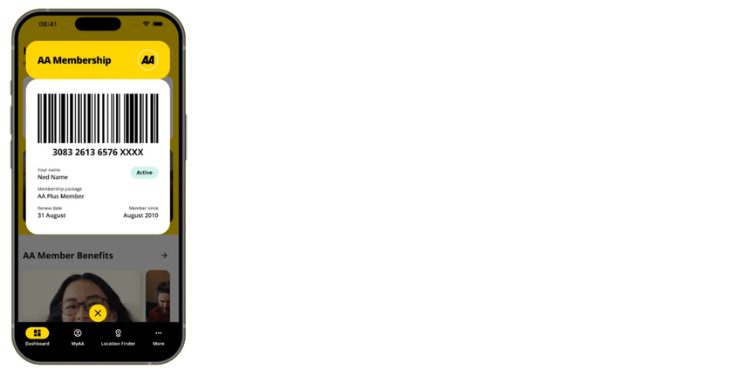
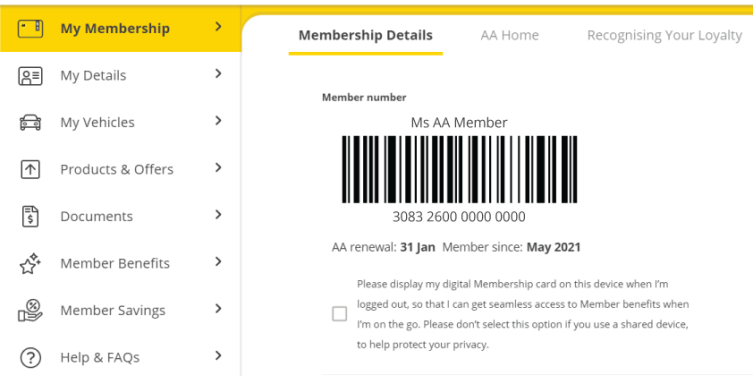
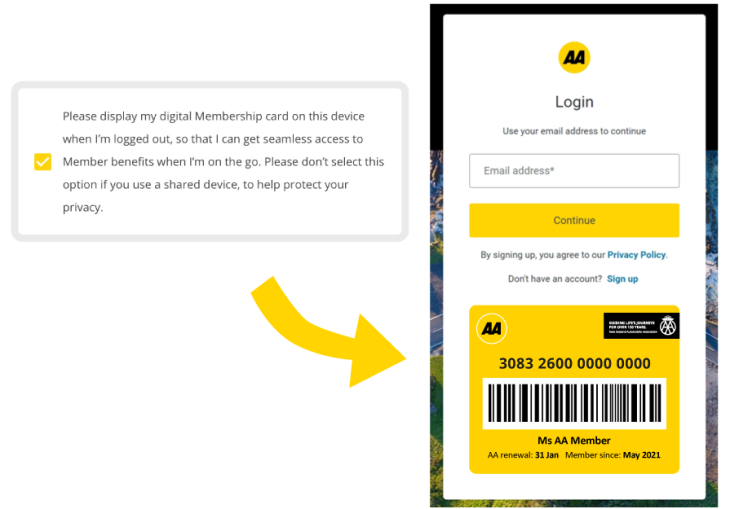
Your digital Membership card will look like the below.
If you are logged in to the app:
If you are logged in to MyAA:
If you have previously logged in to MyAA and have elected to have your card details showing when you're logged out:
- How do I log in to the app or MyAA?
Download our app via the App Store or Google Play or visit aa.co.nz/myaa and follow the prompts. If you have forgotten your password, you can reset it at this point.
If you're experiencing trouble logging in, please find common fixes here.